
There’s an old saying in football: what gets recorded, gets improved. Whether it’s that last-minute equaliser or a tactical substitution that changes the rhythm of play, the details make all the difference when you’re analysing your team’s performance. Recording these match moments accurately is no longer a chore – not when you’ve got tools like TeamStats’ match event logger making the process quick, structured, and meaningful.
Every goal, every booking, every tweak in the line-up tells a story. And the better you capture that story, the easier it becomes to improve week after week.
Why Recording Match Events Matters
Ask any coach who’s tried to recall a chaotic Sunday morning fixture from memory, and they’ll tell you the same thing – it’s almost impossible to remember every event clearly. You might recall the scoreline and standout moments, but the finer details – who assisted the second goal, who picked up a booking in the 60th minute – often blur together.
That’s where structured match event logging comes in. By recording events in real time or shortly after the final whistle, you build a data trail that transforms guesswork into understanding.
Three big reasons why it matters:
Performance Clarity: Pinpoint exactly when momentum shifted or discipline dipped.
Coaching Insight: Identify which players consistently make a difference at critical moments.
Statistical Storytelling: Present accurate, shareable reports that bring your season to life.
It’s not about paperwork – it’s about progress.
Using the Match Event Logger to Capture the Game
The match event logger within TeamStats acts like your assistant on the touchline. It doesn’t just record numbers; it helps you interpret what’s happening in real time. Think of it as a second pair of eyes that never blinks.
When the match kicks off, the logger allows you to:
Add goals instantly with player details, assist information, and timestamp.
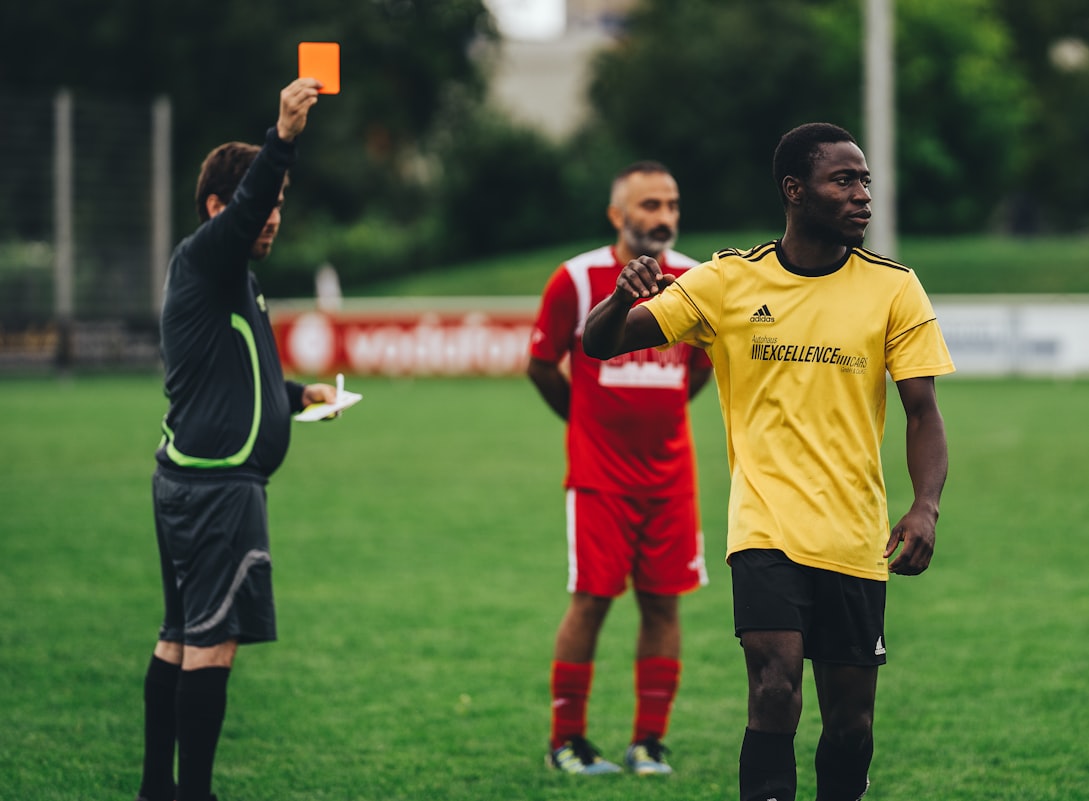
Record cards – yellow, red, or second yellows – with reasoning or match context.
Track substitutions, showing who came on, who went off, and at what minute.
It’s intuitive and flexible enough for every level of grassroots football, from under-10s to semi-professionals.
A Match Day Example: The Morning That Changed a Season
Picture a cold February morning at the local recreation ground. The ground’s a little soft underfoot, and your squad’s half-asleep after a long week at school or work. You’ve set up your formation – a confident 4-3-3 – and remind everyone about quick passing and communication.
Ten minutes in, your winger smashes home a goal from the edge of the box. You log it on TeamStats: Goal – #11 (Assist: #8) – 10th minute.
Before you can finish celebrating, your centre-back mistimes a tackle and goes into the book. One tap later: Yellow Card – #5 – Reckless challenge – 12th minute.
Later, as fatigue sets in, you swap your striker for fresh legs. The substitution is logged instantly. After the final whistle, you’ve got a clean, timestamped record of every key event. No scribbles, no lost notes – just an accurate record ready for your post-match report.
That’s how small moments build into long-term patterns.
Turning Match Data Into Actionable Insight
Collecting match data is one thing – understanding it is another. The match event logger is designed not just to store information, but to make it useful. Every event feeds directly into your team reports, automatically generating visual summaries and timelines that help you see trends at a glance.
Here’s what you can do with those insights:
Spot patterns – maybe your team concedes more after the 70th minute.
Compare performances across fixtures.
Track individual player impact across goals, assists, and cards.
Share detailed match reports with players, parents, or club administrators.
When accurate data back those insights, your post-match talk becomes less emotional and more evidence-based – something every coach secretly wishes for.
How Accurate Event Reporting Builds Accountability
When every event is logged, there’s nowhere for bad habits to hide. Players see their stats, managers see their discipline records, and parents see where their kids are improving. Accountability becomes cultural rather than confrontational.
It’s not about pointing fingers; it’s about shared responsibility. A player who sees that they’ve picked up three bookings in five matches starts reflecting before the next tackle. A midfielder who notices a streak of assists might take more confidence going forward.
Accurate event tracking helps turn subjective impressions into measurable progress.
Analogy: The Match Event Logger as a Matchday “Black Box”
Think of your match event logger as your team’s “black box recorder.” Just like an aircraft’s data recorder captures every key action and anomaly mid-flight, your logger records every defining moment during play.
When something goes wrong – a late goal conceded, a poor substitution, a drop in intensity – you don’t rely on emotion or guesswork. You’ve got objective evidence. That’s what allows top teams, even at the grassroots level, to keep improving week after week.
How to Add Match Events Step by Step
If you’re managing a team through TeamStats, adding match events couldn’t be simpler. Here’s how you can make your reports both accurate and professional:
Access Your Match Report: Go to your team’s fixtures and open the match you want to update.
Select “Add Event”: Choose from goals, cards, or substitutions.
Enter Event Details: Add the player, minute, and any relevant context (like assist or reason for booking).
Save or Edit: Review and adjust if needed – maybe a substitution was recorded late or an assist changed after watching the footage.
Generate the Report: Once your events are complete, export or publish your report directly within TeamStats.
Simple, fast, and foolproof.
Keeping Reports Organised Across the Season
As your fixture list grows, so does your match data. TeamStats automatically compiles your logs across competitions, making it easy to track trends over time. You can sort by player, event type, or competition.
This level of organisation means:
You’ll never lose context between games.
Player discipline records stay visible.
Seasonal summaries practically write themselves.
Coaches who’ve switched from manual record-keeping to TeamStats often say the same thing: “I didn’t realise how much I was missing until I saw everything in one place.”
Avoiding Common Pitfalls When Logging Events
While the match event logger makes tracking easy, accuracy still depends on consistency. Here are a few best practices to keep in mind:
Assign one person to handle live logging to avoid confusion.
Double-check event minutes post-match, especially in youth football where stoppage time varies.
Use uniform naming for players and positions to prevent duplication in stats.
Update immediately after each fixture, before memories fade.
Consistency turns good data into great analysis.
Integrating Match Reports with Player Development
The beauty of detailed event logging is that it extends beyond match days. Player development plans, training focus areas, and tactical adjustments all benefit from that data.
When you review the reports, look for patterns that tell stories:
A player frequently booked might need a composure-focused training session.
A forward assisting more than scoring may be suited to a deeper role.
Substitutions that change results could indicate hidden depth in your bench.
With every match, your data becomes a coaching ally.
Real Example: Turning Match Logs into Tactical Lessons
A local under-15s side used TeamStats to log every event over a ten-game stretch. The data revealed something interesting: 70% of goals conceded came in the final 15 minutes. The coach adjusted training to focus on endurance and closing out games.
Three matches later, they hadn’t conceded late once. That’s the power of detailed match event tracking – problems become patterns, and patterns become solutions.
Link Your Match Logs with Broader Team Management
The match event logger doesn’t operate in isolation – it integrates perfectly with the Team Management App. Once your match data is recorded, it connects automatically with your squad stats, attendance, finances, and communications.
This creates a single, unified platform for:
Fixture management.
Player statistics and progression tracking.
League data and standings.
Team communications.
That level of cohesion means less admin, more coaching.
Taking It Further: Comparing Leagues and Fixtures
If your team plays across multiple competitions, accurate event tracking helps you benchmark performance. Using the Leagues Directory, you can compare results across regional divisions – from the Midland Junior Premier League to the Eastern Junior Alliance.
Over time, those comparisons reveal where your team performs best. Maybe your tactics thrive in one environment but struggle in another. Data makes those insights possible.
The Human Side of Match Reports
Even with all the data in the world, football is still about people. Behind every logged event is effort, teamwork, and emotion.
Recording match events isn’t just about collecting information – it’s about honouring every contribution. That last-minute substitution? It’s a young player getting their first taste of senior football. That booking? Maybe frustration after giving everything for the badge.
The match event logger helps ensure none of it goes unnoticed.
Final Thoughts: From Memory to Mastery
Every team wants to get better. But improvement doesn’t come from memory alone – it comes from reflection. The match event logger turns your match reports into living documents that grow with your team.
With each logged event, you gain another insight. With each insight, another opportunity to develop your players, your tactics, and your results.
It’s not technology for technology’s sake – it’s coaching made smarter.
Practical Next Step
Start tracking smarter today. Log into TeamStats, open your next fixture, and give the match event logger a test run. Once you see the precision it brings to your reports, you’ll never go back to scribbles and half-remembered stats again.
And if you’ve got questions or need help setting it up, simply get in touch.